Understanding the Risks of “Just Send the PDF” — and Why Professional Printing Requires Far More Than Simply Receiving a File and Pressing Print
In This Article
- 1Understanding the Risks of “Just Send the PDF”
- 2The Myth of “Print-Ready” Files
- 3Why Automatic RGB to CMYK Conversion Is Risky
- 4The Risk of Using Default Printer Presets
- 5Black Is Not Always Just Black
- 6Total Ink Coverage (TAC) Limits
- 7Transparency & Layer Issues
- 8Why One File Cannot Be Used for Every Printing Method
- 9The Hidden Risk of “Close Enough”
- 10The Printec Workflow
- 11Why This Matters for Your Brand
- 12Final Thought
Understanding the Risks of “Just Send the PDF”
One of the most common assumptions in modern printing is:
“It’s a PDF. Just print it.”
While PDF is a powerful and standardized format, it does not guarantee accurate colour reproduction or print quality.
Professional printing requires far more than simply receiving a file and pressing print.
At Printec Solutions Co. WLL, file preparation is treated as a controlled process — not a shortcut.
The Myth of “Print-Ready” Files
Clients often send files labeled as:
However, many of these files contain hidden issues such as:
- Incorrect colour profiles
- Embedded RGB images
- Uncontrolled ink coverage
- Incorrect black builds
- Low-resolution graphics
- Overprint errors
- Transparency flattening issues
Without proper preflight inspection, these problems lead to visible quality issues in the final output.
Why Automatic RGB to CMYK Conversion Is Risky
Most design software allows automatic conversion from RGB to CMYK.
But automatic conversion:
- Uses generic colour profiles
- Does not consider specific paper type
- Ignores machine calibration
- Does not protect brand-critical colours
- Does not compensate for dot gain
The result can include:
- Duller colours
- Shifted brand tones
- Loss of contrast
- Inconsistent reproduction across materials
Professional colour management never relies on default conversion.
The Risk of Using Default Printer Presets
Digital printers often include factory presets such as:
These presets are generic. They are not tailored to:
- Specific brand requirements
- Specific paper stock
- Specific project objectives
- Colour-critical applications
Professional production requires:
Media-specific ICC profiles
Tailored to each paper stock and output device.
Controlled tone curves
Compensating for dot gain and tonal behaviour.
Ink density calibration
Ensuring optimal ink coverage for the substrate.
Validation before final output
Visual and instrumental verification before production.
Black Is Not Always Just Black
A common file mistake involves incorrect black builds.
For example:
100% Black (K only)
Pure black channel — clean but can appear weak on large areas.
Rich black (CMYK mix)
Deeper appearance — but must be controlled to prevent overload.
Uncontrolled total ink coverage
Dangerous — causes drying, smudging, and quality failures.
If black builds are inconsistent:
- Text may look washed out
- Backgrounds may appear uneven
- Ink may overload and cause drying problems
Printec reviews black builds to ensure:
- Correct density
- Stability across printing methods
- Proper contrast
Total Ink Coverage (TAC) Limits
Every printing process has a maximum ink limit.
Exceeding this can cause:
Muddy shadows
Smudging
Poor drying
Colour distortion
Surface damage
Automatic file conversion does not control total ink coverage properly.
Professional prepress preparation does.
Transparency & Layer Issues
Modern design files often contain:
- Transparency effects
- Drop shadows
- Blending modes
- Overprint settings
If not flattened properly or handled with correct output settings, these can cause:
Unexpected colour shifts
Transparency interactions alter final colour values.
Missing elements
Objects disappear when layers aren’t flattened correctly.
Printing artifacts
Visible lines, boxes, or edges where transparency was mishandled.
Banding
Smooth gradients break into visible steps.
Printec performs structured preflight checks before production.
Why One File Cannot Be Used for Every Printing Method
A file prepared for Offset printing cannot be directly reused for:
Each process requires:
- Different colour adjustments
- Different ink limit settings
- Different tonal compensation
- Different profile application
Professional production may require multiple optimized versions of the same design.
The Hidden Risk of “Close Enough”
In many cases, automatic printing may look acceptable at first glance.
However, under closer inspection:
Skin tones shift slightly
Warmth or coolness drifts from the original.
Brand colours drift
Corporate colours are close — but not correct.
Grey backgrounds are not neutral
Subtle green, magenta, or yellow tint appears.
Contrast feels unbalanced
Overall impression feels flat or heavy.
Clients may not know why — but they feel the difference.
Professional colour control eliminates “close enough” output.
The Printec Workflow
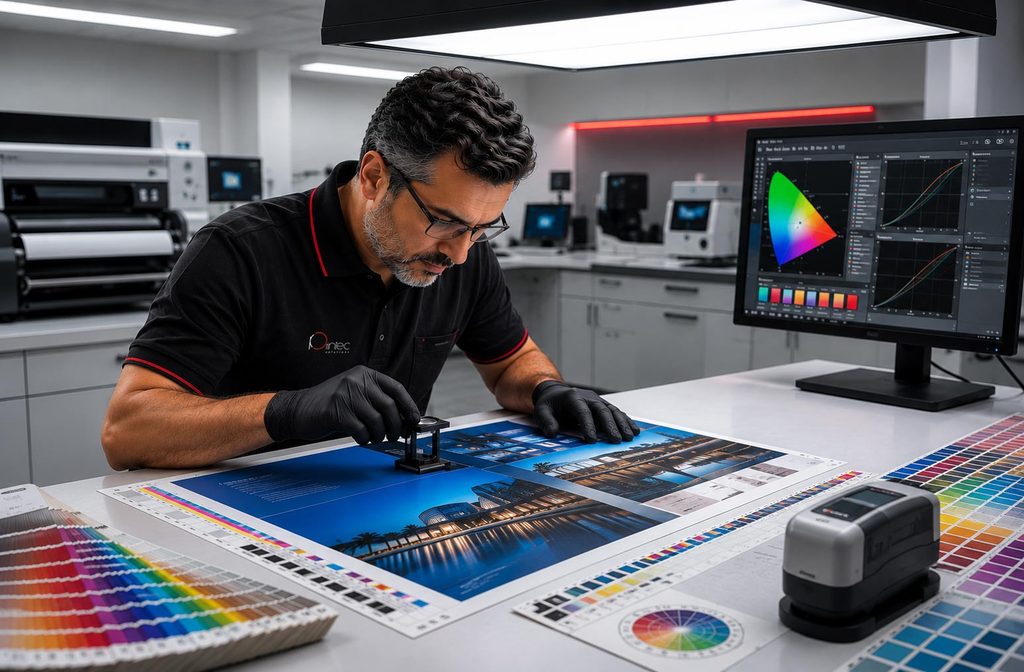
At Printec Solutions Co. WLL, every file undergoes:
Preflight inspection
Profile verification
Ink limit control
Dot gain compensation
Grey balance evaluation
Output method alignment
Visual validation
We do not assume a file is ready. We verify it.
Why This Matters for Your Brand
Brand identity depends on consistency.
When automatic conversion is used:
- Corporate colours shift
- Publications feel inconsistent
- Event materials mismatch
- Reprints become unpredictable
Professional file preparation ensures:
- Predictability
- Stability
- Repeatability
- Visual confidence
Final Thought
PDF is a container.
It is not a guarantee of accuracy.
Professional printing requires controlled file preparation, structured colour management, and disciplined production systems.
At Printec Solutions Co. WLL, we treat every file as a technical document — not just artwork.
That discipline protects your brand.
About Printec Solutions Co. WLL
Printec Solutions Co. WLL, a core company of Printec Group, delivers integrated creative design, printing, signage, and event production solutions in Qatar for over 20 years, supported by large-scale in-house facilities, advanced colour management, strict quality control, and integrated character and digital content capabilities aligned to physical production.
Printec Solutions operates under:
Structured Colour Management Systems
Scientific approach to colour accuracy
Advanced Production Workflows
Optimised processes across all technologies
Disciplined Quality Control Procedures
Rigorous standards at every stage
Ensuring accurate and repeatable results across multiple technologies and materials.
Ready to Elevate Your Brand?
Don’t leave your brand’s visual integrity to chance.
Partner with Printec Solutions Co. WLL for printing that delivers:
Accurate Colour Reproduction
Ensuring your colours are vibrant and true to your brand, every time.
Uncompromising Quality
From design to delivery, we maintain the highest standards.
Expert Consultation
Benefit from our 20+ years of experience in printing and colour science.
Discussion
Share your thoughts on this article. Sign in with Google to join the conversation.
Comments are currently closed for this article.